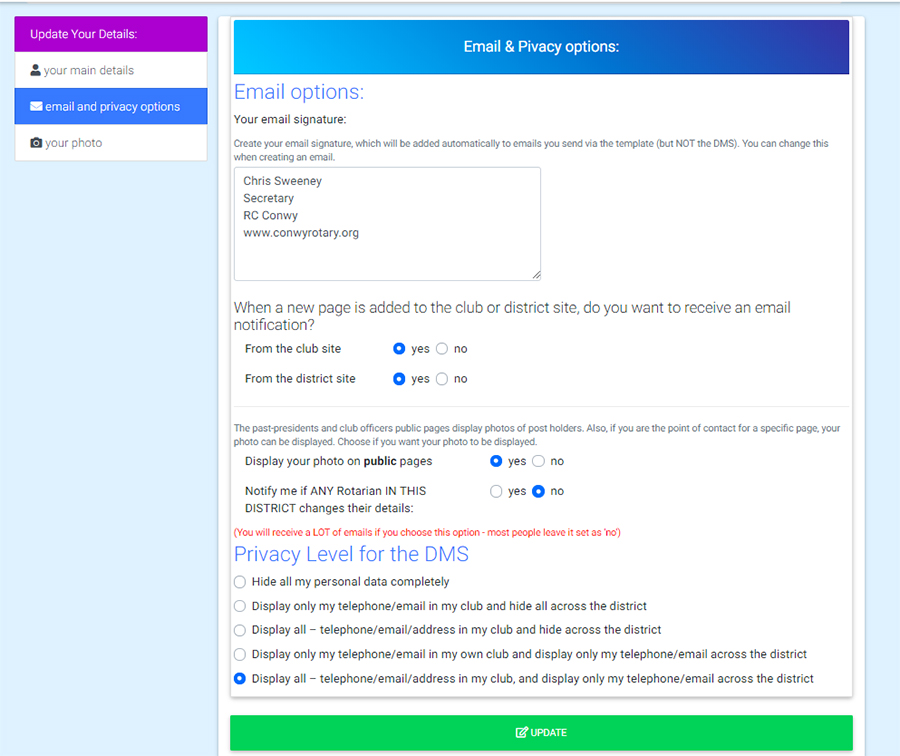
Your email & privacy options
You can adjust settings so that you can
- create a signature that is automatically added to emails sent via the website
- receive email notification of new pages added to the club or district website,
Note that settings for display on the district site is only applicable if your district is using the template system.
You can also choose the privacy level, which giverns what personal informatio is displayed to other members in the DMS.